3D replay + debrief
Arriving in 1.9.6Replay every flight in 3D. Debrief it before you tie down.
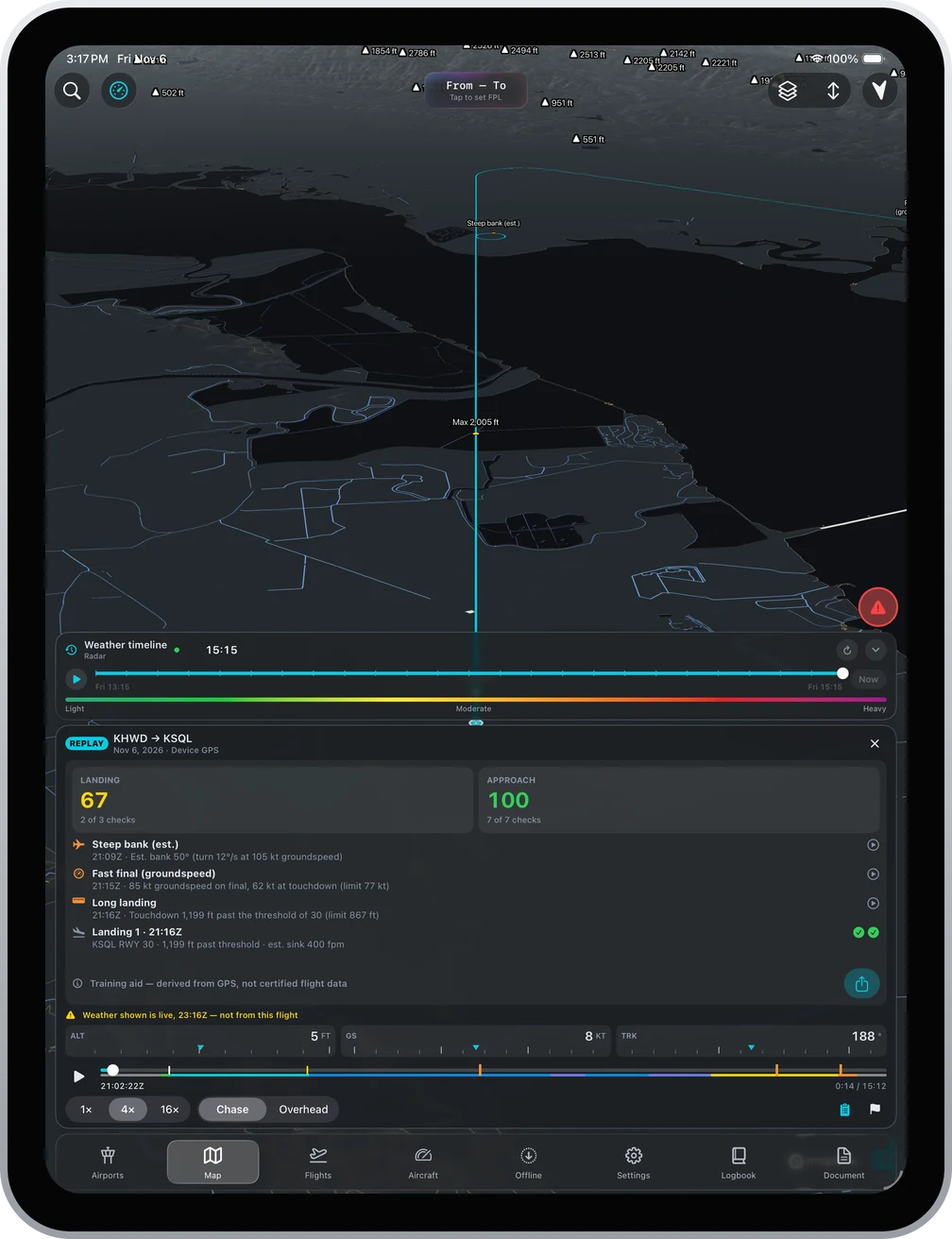
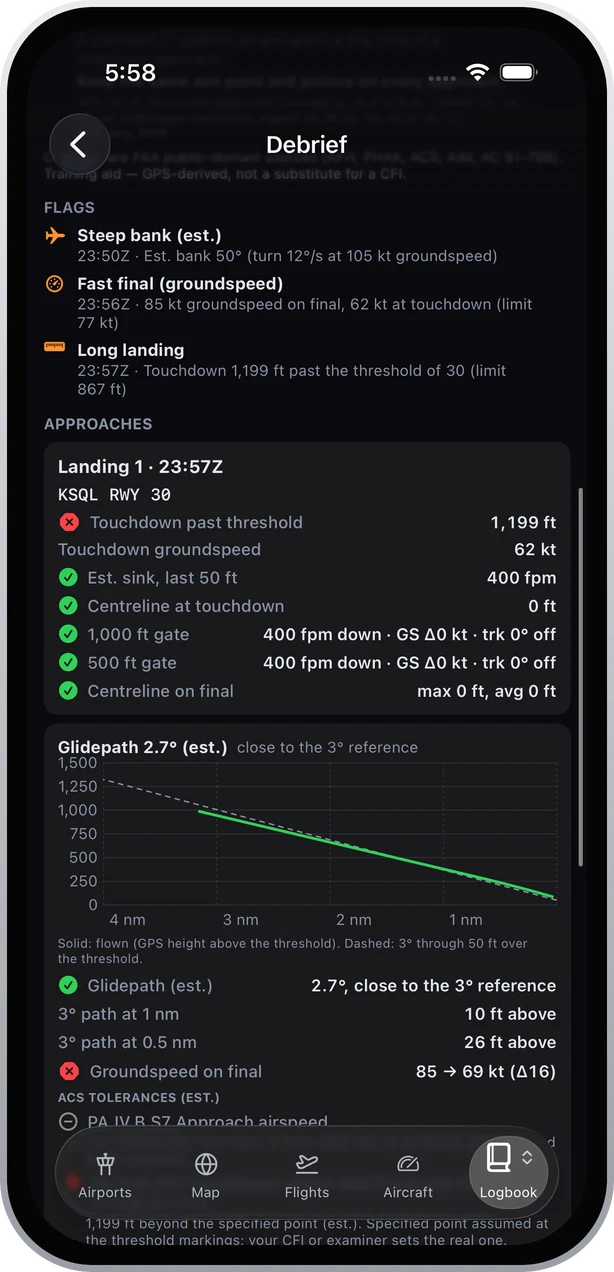
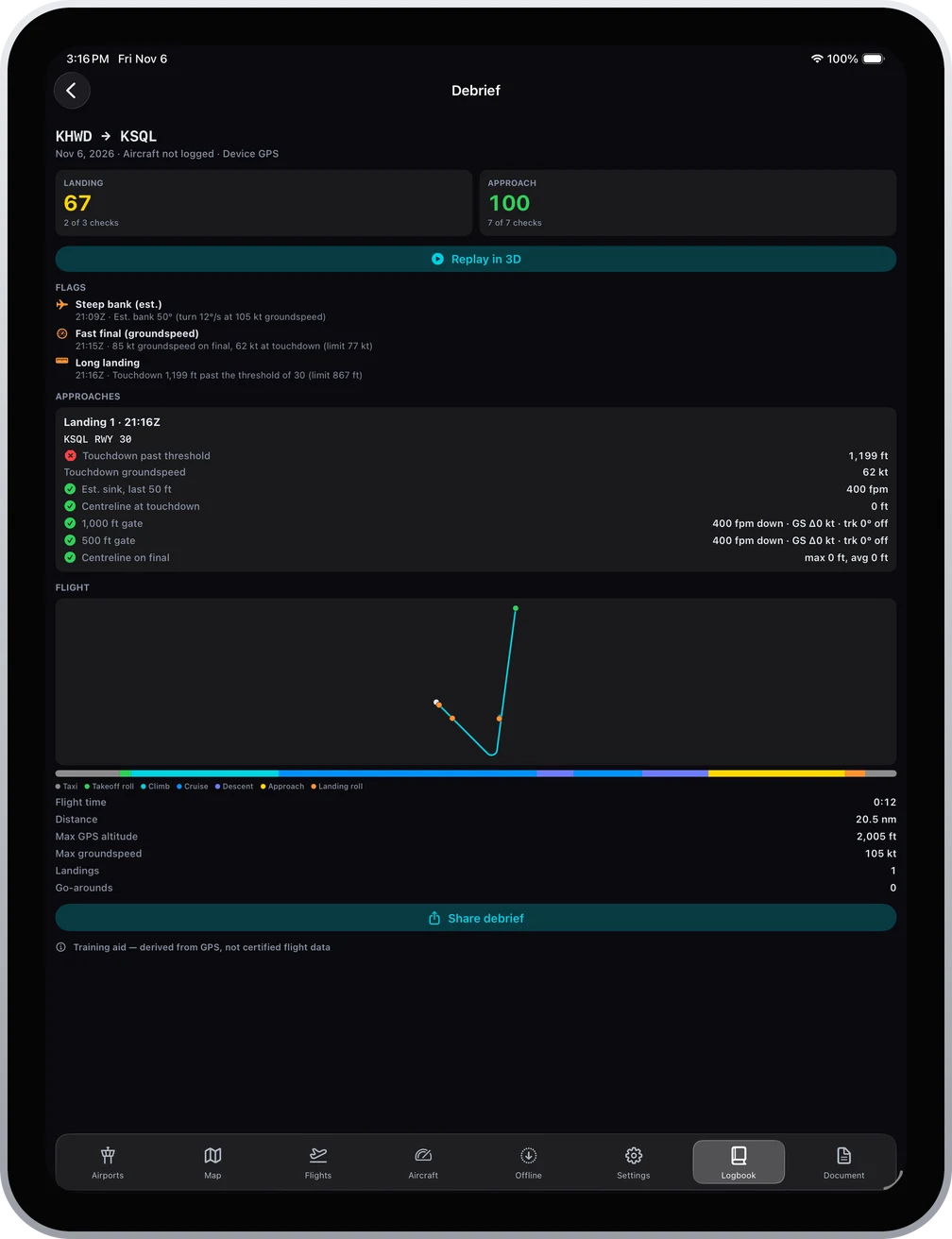
Ascent 1.9.6 records your track from the iPad's GPS, an ADS-B receiver or Infinite Flight, replays it over 3D terrain at 1x, 4x or 16x, and builds a debrief: flight phases, touchdowns and go-arounds, 1,000 ft and 500 ft stabilized gates, glidepath against a 3 degree reference, touchdown point against the ACS tolerances, and flags such as steep bank, high descent rate, a fast final and a long landing. Everything is derived from GPS and labelled as an estimate. Share it as a PDF or export GPX, KML or CloudAhoy CSV.
What it does
Records on its own
Tap Record, or land and accept the Flight detected prompt to log it in one tap. Recording continues in the background.
3D replay
Scrub the flight over real terrain with Chase or Overhead cameras, altitude, speed and track tapes, and an altitude and groundspeed profile.
Stabilized approach gates
Sink rate, groundspeed change and track at 1,000 ft and 500 ft, and centreline on final, checked for every landing.
Glidepath and touchdown
Your flown path against a 3 degree reference, and the touchdown point against the Private Pilot ACS tolerances for normal and short-field landings.
Flags you can jump to
Flags such as steep bank, a fast final or a long landing appear on the replay scrubber. Tap one to seek straight to it.
Coaching for students
Tips that cite the Airplane Flying Handbook, the ACS and FAA advisory circulars switch on automatically when your logbook shows a student certificate or a 61.87 endorsement.
Share and export
A debrief PDF for your CFI, plus GPX, KML and CloudAhoy CSV export.
What it does not do
Know the limits before you rely on it.
- A GPS track has no airspeed and no attitude. Speeds are groundspeed and every derived number is marked as an estimate.
- It is a training aid, not certified flight data and not a substitute for a CFI.
- Weather shown during a replay is live weather, not the weather at the time of the flight, and the replay says so.
Questions
- Does Ascent replay flights in 3D?
- Yes. Ascent 1.9.6 replays recorded flights over 3D terrain with play, scrub, 1x, 4x and 16x speed, Chase and Overhead cameras, and altitude, speed and track tapes.
- What data does the debrief use?
- Only the recorded GPS track, from the iPad or iPhone, a connected ADS-B receiver, or Infinite Flight for sim sessions. There is no airspeed or attitude in a GPS track, so speeds are groundspeed and the results are labelled as estimates.
- Can I send a debrief to my instructor?
- Yes. Share debrief produces a PDF. Tracks also export as GPX, KML and CloudAhoy CSV.
Fly it first.
Every new account gets a one-time 30-day Pro trial. Then $59.99 the first year and $89.99 a year after. One plan, iPhone and iPad, iOS 18.0 or later.
Get Ascent on the App Store